When considering formatting dashcam sd card regularly why is this practice so critical for data integrity? Drivers often face a choice between relying on a dashcam’s "auto-format" feature versus performing a manual format to ensure long-term reliability.
Many users assume that a high-capacity memory card will function indefinitely without intervention. However, the constant "write-erase" cycles of loop recording can lead to file fragmentation and corruption, which often confuses new dashcam owners.
This guide analyzes the technical requirements of storage maintenance, helping you decide whether your usage habits demand frequent manual maintenance or if you can safely rely on automated system tools.
- How often you should format based on usage intensity.
- The risks of file fragmentation in high-resolution recording.
- The difference between "quick format" and "full overwrite."
- Signs that your card requires immediate maintenance.
- Why automated formatting might sometimes fail.
Overview & Head-to-Head Summary

Manual Formatting Methodology
Manual formatting involves using your computer or the dashcam menu system to wipe the card entirely. This process rebuilds the file allocation table (FAT) and ensures no remnants of previous recordings interfere with new data streams.
Automated Maintenance Systems
Automated maintenance refers to dashcams that manage their own loop-recording cycle. While convenient, these systems may not always clear deep-level system errors that a manual, clean format would resolve.
| Feature | Manual Format | Automated Maintenance |
|---|---|---|
| Control | High | Low |
| Effort | High | None |
| Error Resolution | Superior | Basic |
| Data Safety | Requires Backup | Automatic |
For those interested in the finer details of recording, check out our guide on Do dash cams record audio? Everything you need to know about sound capture to ensure your setup is fully optimized.
Key Differences & Core Features

Data Reliability and Fragmentation
Formatting dashcam sd card regularly why is it important for file structure? Over time, the camera splits files into small, fragmented chunks. Manual formatting resets these indexes, preventing the "card error" messages that frequently plague long-term, non-maintained cards.
Hardware Compatibility and Write Speed
Different cameras use different file systems (exFAT vs. FAT32). Manual formatting ensures the file system matches the specific hardware, whereas reliance on a single automated loop can sometimes leave behind incompatible file fragments.
| Criteria | Manual Strategy | Auto Strategy |
|---|---|---|
| File System | Optimized | Default |
| Fragment Cleaning | Deep Clean | Partial |
| Frequency | Monthly/Quarterly | Always Active |
For users who prefer minimalist setups, learning about Non GPS dashcam guide: Why privacy-focused drivers choose them can help clarify if your device hardware is even compatible with intensive custom formatting.
Performance & Real-World Analysis

Evaluating Read/Write Consistency
Performance in dashcams relies on the card's ability to maintain a consistent write speed. If the card is cluttered with old, locked "emergency" files, performance dips, potentially causing skipped frames.
The Impact of High-Resolution Recording
4K and high-bitrate recording demand a "clean" card surface. A card that hasn't been formatted in months is significantly more likely to drop frames than one wiped every 30 to 60 days.
Regular maintenance ensures that your dashcam, whether it's for Best baby car camera for 2 kids or a security setup, records critical events without interruption.
Best Use Cases & Ideal Scenarios

When Manual Formatting Makes More Sense
Manual formatting is ideal for professional drivers or those using high-bitrate 4K cameras. If you rely on your camera for insurance claims, the peace of mind offered by a fresh, clean card every few months is invaluable.
When Automated Maintenance Makes More Sense
If you have a basic 1080p camera and want a "set it and forget it" experience, relying on the built-in system is acceptable, provided you check the status light on your dashcam once a week.
When It Genuinely Doesn't Matter
For low-frequency, occasional commuters who only record during road trips, the wear on the card is negligible. In these cases, the built-in loop system is perfectly sufficient for years of service.
Recommended Equipment & Solution
【5 Yrs Free Data Recovery】【Dash Cam】 GIGASTONE
A reliable pick for 【5 Yrs Free Data Recovery】【Dash, selected based on this article's guidance.
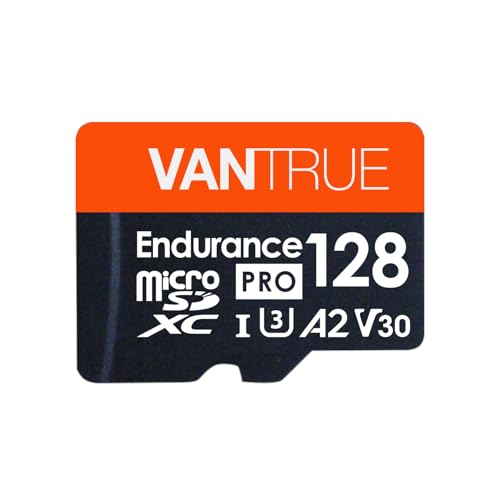
Vantrue 128GB microSDXC UHS-I U3 4K Memory
A reliable pick for Vantrue 128GB microSDXC UHS-I U3, selected based on this article's guidance.
Final Verdict & Decision Framework

Quick Decision Checklist
Deciding whether to format depends on your tolerance for risk and your technical comfort. Use the framework below to determine your path.
Our Framework for Choosing
| Your Goal | Recommended Action |
|---|---|
| Max Reliability | Manual Format Quarterly |
| Zero Maintenance | Automated/Set-and-forget |
| Pro-grade footage | Format before every major trip |
Frequently Asked Questions
Why is regular formatting essential for dashcam SD cards?
Regular formatting clears fragmented file structures and hidden cache data, preventing write errors that cause corrupted video files.
How does formatting prevent the dashcam from failing to record?
Dashcams constantly overwrite files, which can lead to index errors; formatting resets the file system to ensure the camera can seamlessly start new recordings.
How often should I format my dashcam SD card?
It is recommended to format your SD card once every two to four weeks, or immediately if you notice any playback issues or camera alerts.
Will formatting an SD card delete my protected emergency files?
Yes, formatting typically wipes the entire card, including locked event files, so you must back up critical footage to a computer before initiating the format.
What happens if I ignore the dashcam's 'Format SD Card' prompt?
Ignoring the prompt increases the risk of recording failure, potentially leaving you without critical evidence in the event of an accident.
Can formatting solve a 'Card Error' or 'Card Full' notification?
Formatting is the standard fix for these errors because it clears ghost files and file system corruption that prevent the dashcam from recognizing available space.
What is the best way to get started with formatting dashcam sd card regularly why?
The most effective starting point is to begin with a foundational assessment of your needs, then follow the recommended daily protocol.
How long does it take to see results with formatting dashcam sd card regularly why?
Most users report noticeable improvement within the first 2–4 weeks of consistent daily application.
Key Takeaways
- 1 Frequent formatting prevents file fragmentation and system errors.
- 2 Manual formatting is superior for high-bitrate recording environments.
- 3 Always back up critical footage before initiating any format command.
- 4 Automated dashcam systems are convenient but not foolproof.
- 5 High-endurance SD cards are a better investment than standard cards for dashcams.
- 6 Use the camera's internal menu for formatting whenever possible.
- 7 A consistent 30-60 day maintenance cycle is ideal for most users.
Conclusion
Understanding formatting dashcam sd card regularly why it remains a fundamental maintenance task is the best way to ensure your evidence is captured when it matters most. While automated systems offer ease, a manual reset provides the highest degree of reliability.
By assessing your specific driving habits and the resolution of your footage, you can choose a strategy that balances effort with performance, keeping your device ready for the road ahead.
Consistent care for your memory hardware is the simplest way to guarantee your dashcam functions as an effective witness.