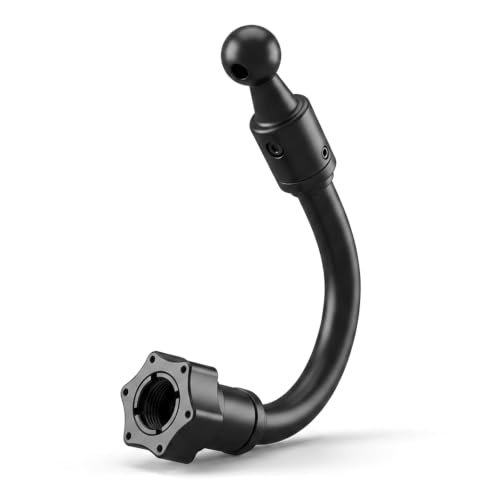
Choosing the right setup in this step by step guide to car dash camera systems requires evaluating your specific security needs, starting with the fundamental decision between hardwired vs. plug-in dash cams.
Many drivers struggle to identify which power method best fits their lifestyle. While plug-in units offer simplicity, hardwired options provide seamless integration and advanced monitoring capabilities. Misunderstanding these differences often leads to cable clutter or missed security coverage when the vehicle is parked.
This guide breaks down the technical, installation, and performance aspects of each power configuration. By the end, you will have a clear decision framework to choose the camera setup that aligns with your daily driving habits and vehicle maintenance comfort level.
- Power consistency and parking mode availability.
- Ease of installation and DIY feasibility.
- Vehicle warranty and electrical system considerations.
- Long-term reliability and component wear.
- Overall aesthetics and cable management efficiency.
Overview & Head-to-Head Summary

Plug-in Dash Cams: The Convenience Choice
Plug-in dash cams utilize the vehicle's 12V cigarette lighter socket. These units are popular for their "plug-and-play" nature, requiring no modification to the car's interior panels or wiring harness.
Hardwired Dash Cams: The Professional Choice
Hardwired dash cams connect directly to the vehicle's fuse box. This method is often necessary for advanced features like 24/7 security. Learn more about these capabilities in our guide on do dash cams record when the car is off? Everything You Need to Know for 24/7 Security.
| Feature | Plug-in | Hardwired |
|---|---|---|
| Installation | Simple DIY | Professional/Intermediate |
| Parking Mode | Limited/Battery Dependent | Always Active |
| Cable Visibility | Often Visible | Hidden |
| Cost | Lower | Higher |
Always verify your vehicle's fuse box compatibility before purchasing a hardwire kit to ensure you do not void sensitive electrical warranties.
Key Differences & Core Features

Architectural Installation Differences
The primary distinction in this step by step guide to car dash camera configuration is how power is drawn. Plug-in models rely on a constant current from a standard socket, while hardwired kits use a step-down converter to interface with constant and switched fuses.
Aesthetic and Space Utility
Hardwired systems allow for a cleaner cabin as cables are tucked behind headliners and trim. Plug-in models typically leave a visible cord hanging from the windshield to the center console.
| Criteria | Plug-in | Hardwired |
|---|---|---|
| Dashboard Clutter | Moderate | Minimal |
| Fuse Box Access | Not Required | Essential |
| Internal Battery Drain | None | Potential (needs management) |
| DIY Difficulty | Easy | Moderate |
Performance & Real-World Analysis

Evaluating Power Reliability
Performance in the real world depends on how the dash cam handles power interruption. Hardwired systems offer greater consistency for long-term security, provided they are managed correctly with a 5 Best Spare Dash Cam Battery Options for Long-Lasting Parking Mode.
Step-by-Step Performance Assessment
Modern dash cams with power management ICs (Integrated Circuits) in hardwire kits effectively prevent vehicle battery death during long parking sessions.
Best Use Cases & Ideal Scenarios

When Plug-in Makes More Sense
Plug-in systems are ideal for rental cars, leased vehicles where modifications are forbidden, or for drivers who prioritize a quick, non-permanent setup. If you move your camera between multiple vehicles, the plug-in method is the only logical choice.
When Hardwired Makes More Sense
Hardwired setups are perfect for personal vehicles where security is a priority. They are essential for drivers who park in public lots or streets and require the device to remain active for incident capture.
When It Genuinely Doesn't Matter
If you only drive for short commutes and do not require parking surveillance, the power source is less critical. Your choice should then be based entirely on your budget and tolerance for visible wires.
Recommended Equipment & Solution

4 Channel 360° Dash Cam, 4K Front
A reliable pick for 4 Channel 360° Dash Cam, selected based on this article's guidance.
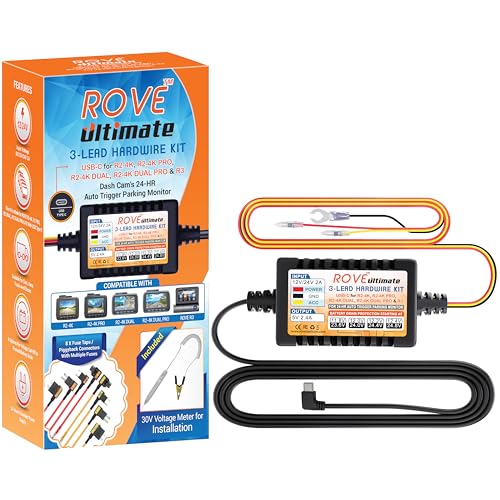
ROVE Ultimate Dash Cam Hardwire Kit, USB-C
A reliable pick for ROVE Ultimate Dash Cam Hardwire, selected based on this article's guidance.
Final Verdict & Decision Framework

Quick Decision Checklist
Use this table to quickly align your needs with the appropriate installation method.
| Your Goal | Recommended |
|---|---|
| Max Security/Parking Mode | Hardwired |
| Ease of Moving Camera | Plug-in |
| Minimal Cabin Clutter | Hardwired |
| No Mod Policy/Lease | Plug-in |
Our Framework for Choosing
Frequently Asked Questions
Does hardwiring a dash cam drain the car battery?
A: Most modern hardwire kits include voltage cutoff sensors that prevent the camera from draining the battery below safe starting levels.
Can I install a hardwired dash cam myself?
A: Yes, if you are comfortable with basic vehicle trim removal and fuse box identification. Many kits come with comprehensive instructions.
Is it harder to remove a hardwired dash cam?
A: It takes more effort because the wires are hidden, but it is entirely reversible with no permanent damage to the vehicle.
Do all plug-in dash cams record in parking mode?
A: No, only those with an internal battery or a dedicated battery pack can function when the car is powered down.
Will hardwiring affect my manufacturer warranty?
A: Usually not, provided you use "add-a-circuit" fuse taps that do not cut or splice into the factory wiring harness.
Which is better for cable management?
A: Hardwiring is significantly better because wires are tucked behind panels rather than draped across the dashboard.
Do I need special tools for plug-in installation?
A: Generally, no. Most plug-in units use suction or adhesive mounts and a simple 12V adapter.
Are there risks to using the cigarette lighter socket?
A: Only if the socket is used heavily for other high-draw devices, which could blow the fuse for that specific circuit.
Key Takeaways
- 1 Hardwired dash cams are superior for 24/7 security needs.
- 2 Plug-in dash cams offer unparalleled ease of use and portability.
- 3 Always check your vehicle’s fuse box layout before committing to a hardwire kit.
- 4 Parking mode features are usually locked behind hardwired power connections.
- 5 Cable management is the aesthetic advantage of hardwired installations.
- 6 Use voltage cutoff hardware to protect your vehicle's battery.
- 7 Your installation choice should balance security needs against your DIY ability.
Conclusion
The choice between hardwired and plug-in dash cams is ultimately about balancing convenience and security. For most commuters seeking basic incident documentation, the plug-in method is sufficient and requires zero modifications. For those who prioritize comprehensive parking surveillance, hardwiring provides a more robust, professional, and reliable solution.
Take your time to understand your specific vehicle's power architecture before proceeding. Whether you choose the simplicity of a cigarette lighter adapter or the clean, professional finish of a hardwire kit, your dash cam will significantly improve your driving security.
Prioritize safety and legal compliance to ensure your dash cam setup serves as an effective witness on the road. For further learning, check our guide on How Does Baby Car Camera Work? Top 5 Systems for 2026 Reviewed to see how different mounting systems impact your cabin setup.