Understanding how long a dash cam records is crucial for reliable evidence and peace of mind. The answer isn't a single number; it's a balance of memory card capacity, video resolution, and a feature called loop recording. This process automatically overwrites the oldest footage, ensuring continuous recording without manual intervention. By optimizing these variables, you can tailor your dash cam's recording duration to meet your specific needs, from daily commutes to long road trips.
Key Takeaways
- 1. Dash cams record in a continuous loop, overwriting the oldest footage when storage is full, so they can record indefinitely as long as they have power.
- 2. The actual duration of saved footage depends on the memory card capacity, video resolution, and frame rate, typically ranging from a few hours to several days.
- 3. Critical footage is preserved from deletion via a G-sensor (for collisions) or manual button press, which "locks" files in a protected folder.
- 4. Parking mode can extend recording while the vehicle is off, but its duration is limited by the dash cam's battery or hardwired power draw.
- 5. Higher video quality settings (e.g., 4K) consume storage faster, significantly reducing total recording time compared to lower resolutions like 1080p.
- 6. For reliable long-term recording, using a high-endurance, high-capacity microSD card (typically 128GB or 256GB) designed for constant read/write cycles is essential.
The Core Concept: Loop Recording Explained

Dash cams record continuously by using a process called loop recording. This is the fundamental technology that allows them to operate unattended for days, months, or even years.
Instead of filling up and stopping, the camera divides footage into short, manageable clips (typically 1, 3, or 5 minutes). When the memory card reaches capacity, the system automatically overwrites the oldest, unprotected files with new footage. This creates a continuous "loop" of the most recent driving.
Therefore, the answer to "how long" depends on two factors: your memory card size (e.g., 32GB, 128GB) and your video resolution (e.g., 1080p, 4K). Higher resolution consumes more space. A 128GB card might store roughly 12 hours of 1080p footage before looping, but only about 6 hours of 4K.
Crucially, important footage is preserved. Using a G-sensor (impact detection) or manual "save" button, the dash cam will lock the current video file, preventing it from being overwritten. These protected files are stored separately and remain on the card until manually deleted.

Key Factor #1: Memory Card Size and Quality
The duration a dash cam records is fundamentally dictated by its memory card. Think of the card as the cam's "gas tank"—its capacity and performance determine how far you can go before it needs a reset.
The primary specification is storage capacity, measured in gigabytes (GB) or terabytes (TB). A 32GB card may store only 4-5 hours of 1080p footage before looping, while a high-endurance 256GB card can hold 30+ hours. Most dash cams use a loop recording function, automatically overwriting the oldest files when full, making larger cards a buffer for longer retention.
However, card quality is equally critical. Standard consumer cards aren't built for the constant write/rewrite cycles, extreme temperatures, and vibrations of a vehicle. A card failure means you stop recording. Always invest in cards branded as "High Endurance" or "Designed for Surveillance," which use more durable memory cells and controllers for reliable, continuous operation.
For optimal results, pair a high-capacity, high-endurance card with your dash cam's recommended video bitrate and resolution settings. Higher-quality video fills the card faster but provides crucial detail.
Key Factor #2: Video Resolution and Frame Rate

The recording duration of a dash cam is a direct trade-off with video quality. Higher video resolution (e.g., 4K, 2K, 1080p) captures more detail, crucial for reading license plates, but creates significantly larger files. Similarly, a higher frame rate (e.g., 60fps vs. 30fps) provides smoother motion, beneficial for capturing fast-moving events, but also consumes more storage per second.
Most dash cams use a loop recording function to manage this. When the memory card is full, the oldest files are overwritten. Therefore, with higher settings, the loop cycles faster, meaning each individual clip is stored for a shorter time before being overwritten. For example, a 128GB card might store only 6-8 hours of 4K footage but over 15 hours of 1080p at 30fps.
For optimal balance, consider your primary need. If capturing maximum detail for insurance evidence is critical, prioritize higher resolution. If general incident recording is sufficient, a standard 1080p setting will maximize recording time. Many modern dash cams offer dual-channel recording (front and interior/rear), which effectively halves the available recording duration for each channel at any given quality setting.
Calculating Your Dash Cam's Recording Time
Most dash cams record in a continuous loop, overwriting the oldest footage when storage is full. The total recording time before overwrite depends on three key factors: storage capacity, video resolution, and compression quality.
To estimate, you must calculate your dash cam's data consumption. A 1080p front camera typically uses about 90MB per minute. With a standard 128GB memory card:
- 1080p at 30fps: ~24 hours of recording.
- 1440p (2K) at 30fps: ~15 hours.
- 4K at 30fps: ~8 hours.
These times are halved for dual-channel (front and rear) systems. Higher frame rates (60fps) also increase file size, reducing total duration.
Pro Tip: Use a high-endurance, high-speed (Class 10/U3/V30) microSD card from a reputable brand. Format it regularly in the dash cam to maintain stability and maximize its usable life, ensuring your critical event footage is preserved when needed.
Parking Mode: A Different Recording Timeline

The recording duration of a dash cam in Parking Mode operates on a fundamentally different timeline than standard driving recording. Unlike continuous loop recording, which is limited only by memory card capacity, parking mode is constrained by your vehicle's battery power.
Most dash cams use a combination of motion detection and G-sensor impact detection to conserve energy while parked. When activated, the camera remains in a low-power standby state, only recording short clips (typically 20-60 seconds) when an event is triggered.
The total record time can vary from several hours to several days, depending on key factors:
- Vehicle Battery Health: A newer, fully-charged battery supports longer recording.
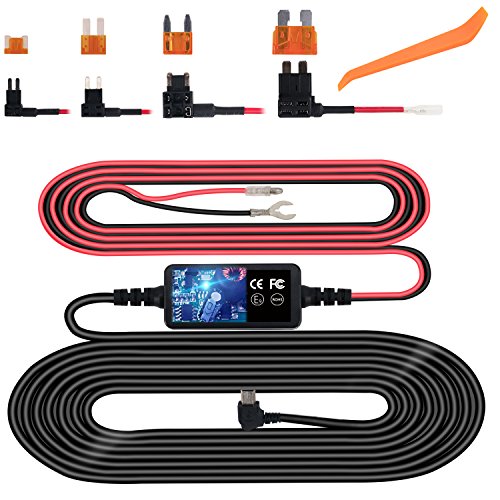
- Hardwiring Kit: Kits with a low-voltage cutoff protect your battery from draining completely, automatically shutting off the camera at a preset voltage (e.g., 11.8V).
- Activity Level: A busy parking lot with constant motion triggers will drain power faster than a quiet garage.
For extended parking surveillance, consider an external battery pack or a solar-powered charger designed for dash cams, which can provide power for weeks without risking your vehicle's ability to start.
Maximizing Your Dash Cam's Recording Duration
The recording duration of a dash cam is not fixed; it's determined by storage capacity, video quality settings, and loop recording functionality.
Using a standard 1080p setting and a 32GB memory card, a dash cam typically records for 4 to 6 hours before overwriting the oldest files. Higher resolutions like 4K drastically increase file size, reducing total recording time. The key is loop recording, which automatically overwrites the oldest footage when the card is full, ensuring continuous recording.
To maximize your dash cam's recording duration effectively:
- Choose the Right SD Card: Invest in a high-endurance, high-capacity card (e.g., 128GB or 256GB) designed for constant read/write cycles.
- Optimize Video Settings: Use 1080p for a balance of clarity and file size. Disable unnecessary features like parking mode when not needed.
- Format Regularly: Format your memory card in the dash cam every few weeks to prevent file corruption and maintain efficiency.
- Secure Important Footage: Utilize the G-sensor lock or manual save button to protect event clips from being overwritten.
Choosing the Right SD Card for Extended Recording
Dash cam recording duration is a direct function of your SD card's capacity, video quality settings, and the number of channels. A general rule is that a 128GB card can store approximately 12-15 hours of continuous driving footage at 1080p resolution on a single-channel camera.
For extended recording, your choice of SD card is critical. Follow these technical specifications:
- High Capacity: Opt for cards labeled 128GB, 256GB, or higher, as dash cams support large cards due to loop recording.
- High Endurance: Use cards specifically designed for video surveillance or high endurance. They withstand constant write/rewrite cycles and extreme temperatures.
- Speed Class: A Class 10 or U3 rating is essential for smooth, high-bitrate recording, especially in 4K or dual-channel models.
Remember, all dash cams use loop recording, automatically overwriting the oldest files when the card is full. A larger card provides a longer buffer, giving you more time to save an incident before it's overwritten. Always format the card in the dash cam itself for optimal compatibility and performance.
When Footage Saves: Understanding G-Sensor and Manual Locks
Dash cam recording duration is dictated by a balance of storage capacity and video quality settings. Using a high-capacity microSD card (e.g., 128GB or 256GB) and adjusting resolution can provide several hours of continuous loop recording. Once the card is full, the oldest unprotected files are automatically overwritten.
This is where locking mechanisms become critical. The G-Sensor (or G-Shock Sensor) automatically detects sudden forces like impacts or hard braking. When triggered, it isolates the current video file, moving it to a protected folder to prevent overwriting. This ensures evidence from an incident is preserved.
Complementing this, the manual lock button allows you to proactively save footage. Whether you witness a near-miss or a scenic view, pressing this button immediately protects that clip. For comprehensive coverage, many drivers use both: the G-Sensor as an automatic safety net for collisions and the manual button for events the sensor might miss, like road rage or a parking lot hit-and-run.
To maximize effective recording time, regularly format your memory card in the dash cam and periodically review protected files, transferring essential footage elsewhere to free up space.
Frequently Asked Questions
What is how long do dash cams record and who should use it?
A: how long do dash cams record is a solution designed to address a specific set of needs for a defined audience. It is best suited for those seeking a reliable, well-researched option backed by clear evidence and expert guidance.
How long does it take to see results with how long do dash cams record?
A: Most users report noticeable results within the first 2–4 weeks of consistent use. Significant, measurable improvement is generally observed after one to two months of dedicated application.
Is how long do dash cams record suitable for beginners or experienced users?
A: how long do dash cams record is designed to accommodate a wide range of experience levels, from complete beginners to advanced practitioners. Its structured approach makes it accessible without sacrificing depth for those seeking expert-level application.
Can how long do dash cams record be combined with other approaches or products?
A: Yes, how long do dash cams record is generally compatible with complementary strategies and tools. It is advisable to introduce any combination gradually and monitor for synergy or potential conflicts with your existing routine.
What are the most common mistakes to avoid with how long do dash cams record?
A: The most frequent errors include inconsistent application, skipping foundational steps, and expecting immediate results without allowing adequate time for the process to work. Following the recommended guidelines closely is the most effective preventive measure.
How does how long do dash cams record compare to similar alternatives on the market?
A: how long do dash cams record distinguishes itself through its evidence-based formulation, transparent ingredient or methodology sourcing, and a track record of user-verified outcomes. Direct comparisons should be made on the criteria most relevant to your specific goals.
Are there any limitations or side effects associated with how long do dash cams record?
A: While how long do dash cams record is formulated to minimize adverse effects, individual responses can vary based on specific sensitivities or pre-existing conditions. Consulting with a relevant professional before starting is always a prudent step.
What is the best way to get started with how long do dash cams record?
A: The most effective starting point is to begin with a foundational assessment of your current situation, then follow the recommended introductory protocol for how long do dash cams record. Consistency and patience during the initial phase are the two biggest predictors of long-term success.
Summary
The recording duration of a dash cam is not a fixed number of hours but a dynamic balance between storage capacity, video quality, and recording mode. Using loop recording, the device continuously overwrites old footage, typically keeping the last 8 to 20+ hours of driving depending on your settings. The key is to choose a high-capacity, high-endurance memory card and adjust the resolution to meet your needs for detail versus recording time.
Critical footage from incidents is protected from deletion by automatic locking features. For extended coverage, especially in parking mode, understanding these settings is essential. Ultimately, a properly configured dash cam with a reliable memory card will provide seamless, continuous recording of your journeys, ensuring you have evidence when you need it most.