A dash cam is a critical investment for modern drivers, offering protection and evidence in the event of an accident. With countless models boasting various features, selecting the right one can be overwhelming. This definitive guide breaks down the key factors—from video resolution and field of view to parking mode and connectivity—to empower you with the knowledge needed to make a confident purchase. Navigate the options and find the perfect dash cam to safeguard your journeys.
Key Takeaways
- 1. Prioritize video quality with at least 1080p resolution, but 1440p or 4K is better for capturing crucial details like license plates.
- 2. Ensure reliable recording by choosing a model with a capacitor (not a lithium battery) for better heat resistance and longevity.
- 3. Opt for a dash cam with a wide-angle lens (130 to 150 degrees) to adequately cover the road ahead without excessive distortion.
- 4. Select a dual-channel system (front and interior/rear) for comprehensive coverage, which is essential for rideshare drivers or documenting hit-and-runs.
- 5. Verify essential features like loop recording, G-sensor automatic file protection, and a reliable parking mode for incident capture when the vehicle is unattended.
- 6. Consider discreet size and clean installation, factoring in whether you need professional hardwiring for parking mode or will use the cigarette lighter port.
Understanding Core Dash Cam Specifications

Selecting a dash cam requires understanding a few critical specifications that directly impact performance. Focus on these core elements to make an informed decision.
- Video Resolution & Sensor: Aim for a minimum of 1080p Full HD, with 1440p or 4K providing superior detail for reading license plates. The image sensor is equally vital; a larger sensor (e.g., 1/1.8") captures more light, drastically improving night-time footage quality.
- Field of View (FOV): A lens with a 140° to 160° FOV offers a balanced, wide-angle perspective of the road ahead without excessive distortion. Wider angles may compromise detail at a distance.
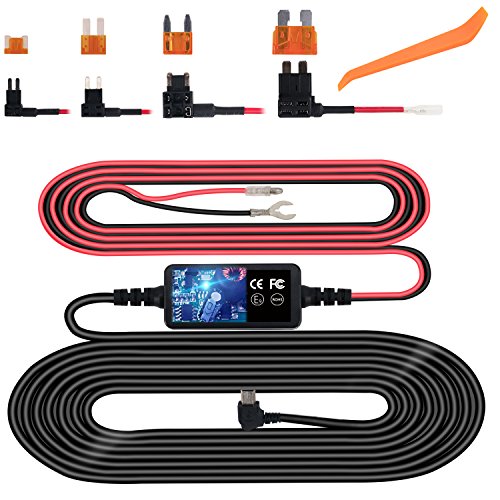
- Parking Mode: This essential feature monitors your vehicle while parked. Ensure it has a buffered recording (saves footage from before motion/impact) and requires a hardwiring kit for seamless, battery-protected operation.
- Capacitor vs. Battery: Opt for a model with a capacitor power source. Unlike lithium batteries, capacitors withstand extreme vehicle temperatures, ensuring reliability in both summer heat and winter cold.
Prioritizing these specifications—high resolution with a quality sensor, appropriate FOV, robust parking mode, and a capacitor—will guide you to a dependable device that delivers crucial evidence when needed.

Key Features for Safety and Evidence: Parking Mode & G-Sensor
When selecting a dash cam for safety and evidence collection, two features are non-negotiable: Parking Mode and a G-Sensor. Together, they transform your device from a road recorder into a 24/7 digital witness.
A quality Parking Mode uses a buffered recording system, continuously saving a few seconds of footage before and after an impact or motion is detected. This is crucial for capturing events like hit-and-runs while your vehicle is unattended. Ensure the model you choose has a reliable HWK for seamless power transfer from your car's battery when the ignition is off.
The G-Sensor (accelerometer) works in tandem with Parking Mode. It detects sudden forces—like collisions or break-in attempts—and automatically locks the relevant video file in a protected folder. This prevents the critical footage from being overwritten by the camera's loop recording, preserving it as immutable evidence for insurance or legal proceedings.
Expert Tip: Adjust the G-Sensor's sensitivity. A setting too high may lock files due to minor potholes, unnecessarily filling memory.
Single, Dual, or Multi-Channel: Choosing Your Camera Setup

The first critical decision when choosing a dash cam is the number of channels, which dictates your field of view and protection level.
Single-channel cameras record only the road ahead. They are an excellent, cost-effective solution for capturing forward collisions, sudden braking, and the primary events in front of your vehicle.
For comprehensive coverage, a dual-channel system is the professional standard. It combines a front-facing camera with a second, interior-facing lens to record the cabin and rear window. This setup is crucial for ride-share drivers, providing evidence for passenger interactions, or capturing rear-end collisions.
Advanced multi-channel setups (typically three channels) add a dedicated rear-facing external camera. This offers complete 360-degree documentation—front, cabin, and the road behind—making it ideal for commercial fleets or drivers seeking maximum evidentiary protection in complex multi-vehicle incidents.
Your choice should balance budget against risk exposure. For most personal vehicles, a high-quality dual-channel system offers the optimal blend of front and interior coverage, addressing the majority of incident scenarios.
Essential Considerations: Storage, Power, and Installation
Selecting the right dash cam involves balancing three core technical considerations. First, storage is critical. Opt for a model with a high-endurance microSD card, as constant read/write cycles degrade standard cards. Loop recording is a non-negotiable feature, automatically overwriting old footage, but ensure the camera supports a sufficient resolution and frame rate (e.g., 1080p at 60fps or 4K) for clear license plate capture.
Second, evaluate power options. Most dash cams use your vehicle's 12V socket, powering down with the ignition. For permanent parking mode surveillance, a hardwiring kit is essential. This connects to your fuse box, allowing the camera to monitor impacts while parked without draining the car's battery, often featuring a low-voltage cut-off for protection.
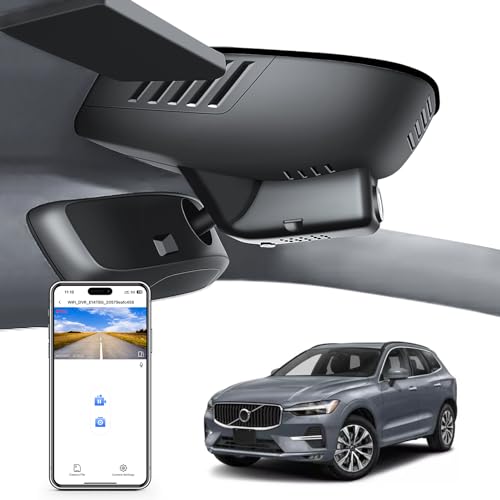
Finally, consider installation and form factor. A discreet, compact design minimizes windshield obstruction. The mounting method—typically adhesive or suction cup—affects stability. Plan the cable route from the power source along the headliner and door seals for a clean, professional installation that avoids interfering with airbags.

Advanced Connectivity: Wi-Fi, GPS, and Cloud Services
When selecting a dash cam, advanced connectivity transforms it from a simple recorder into a proactive security hub. Evaluate these features based on your specific needs:
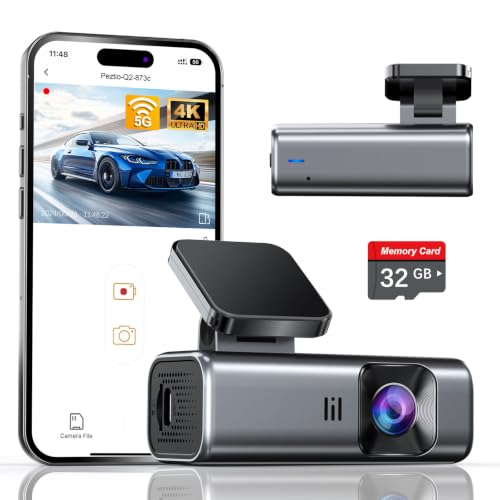
- Wi-Fi & Bluetooth: Essential for seamless smartphone pairing. This allows you to view footage, adjust settings, and download clips directly to your phone without removing the memory card. It's a core convenience feature for most users.
- GPS: Adds a critical layer of forensic data. An integrated or accessory GPS module logs your vehicle's speed, location, and route directly onto the video file. This is invaluable evidence for disputing liability in an accident.
- Cloud Services: The pinnacle of connectivity, often requiring a subscription. With a built-in cellular connection (or paired with your phone's hotspot), the camera can upload incident clips to the cloud instantly. This ensures evidence is preserved even if the camera is stolen or damaged in a collision.
For comprehensive protection, prioritize a model combining Wi-Fi for usability, GPS for verifiable data, and consider cloud capabilities for ultimate evidence security.
Setting a Realistic Budget: Balancing Price and Performance
Establishing a budget is the critical first filter in your selection process. The market ranges from basic sub-$50 models to advanced systems exceeding $300. A realistic budget forces you to balance desired performance with actual cost.
For core functionality—clear daytime recording and loop recording—a budget of $80 to $150 is often sufficient. This tier typically offers 1080p or 2K resolution, a reliable supercapacitor (essential for heat resistance), and basic safety features like G-sensor impact locking.
To future-proof your purchase and access premium features, consider the $150 to $250 range. Here, you reliably find superior 4K resolution, enhanced low-light performance (with wider apertures like f/1.5), and built-in GPS for speed/route logging. Advanced driver-assistance systems (ADAS) like forward collision warnings also enter the equation.
Ultimately, your budget must reflect your primary use-case. Commuters in well-lit areas may not need 4K, while ride-share drivers or those frequently driving at night should prioritize wider dynamic range and better sensors. Never compromise on a supercapacitor for battery-based models, as batteries fail in extreme temperatures. Allocate funds first for proven reliability and video clarity, then for additional features.
Top Brands and Models: A Quick Comparative Overview
When selecting a dash cam, brand reputation is a strong indicator of reliability and support. Three leaders consistently define the market.
- Garmin Dash Cam: Known for superior build quality and intuitive interfaces, models like the Dash Cam 67W offer excellent 1440p video, voice control, and seamless integration with other Garmin navigation devices. Ideal for users prioritizing user experience and discreet design.
- Nextbase: A pioneer in safety-focused features, their Series 2 and 4K models often include Emergency SOS response, built-in polarizing filters for glare reduction, and modular add-ons like rear-facing interior cameras. This brand excels for comprehensive incident documentation.
- Vantrue: Specializes in high-performance, dual-channel systems for rideshare drivers and commercial use. Models like the N4 offer three-channel recording (front, cabin, rear), supercapacitors for heat resistance, and exceptional low-light capability, prioritizing 24/7 coverage.
Your choice hinges on primary use-case: Garmin for daily driving elegance, Nextbase for maximum safety and evidence, or Vantrue for professional, multi-angle monitoring. Always prioritize video resolution (1080p minimum), storage type (endurance microSD cards), and reliable parking mode functionality.
Final Checklist: Your Step-by-Step Decision Guide
Before finalizing your purchase, use this expert checklist to ensure your dash cam meets all critical criteria.
- Video Quality & Field of View: Confirm at least 1080p Full HD, with 1440p or 4K preferred for license plate clarity. A field of view between 140° and 170° provides optimal coverage.
- Reliability Features: Verify capacitor-based power (not lithium battery) for extreme temperature resilience, and ensure loop recording and G-sensor for automatic incident locking.
- Parking Mode: If needed, confirm the required hardwiring kit and that the mode uses a low-power, buffered design to capture events before impact.
- Discreet Design & Storage: Assess the physical size for a clean, non-obstructive install. Ensure the microSD card is High Endurance class and of sufficient capacity (64GB minimum).
- User Experience: Check for essential usability: a clear status indicator, easy file retrieval (via Wi-Fi or direct pull), and reliable customer support.
Cross-referencing your needs against this list will guide you to a robust, set-and-forget solution that provides true peace of mind on the road.
Frequently Asked Questions
What is how to choose a dash cam and who should use it?
A: how to choose a dash cam is a solution designed to address a specific set of needs for a defined audience. It is best suited for those seeking a reliable, well-researched option backed by clear evidence and expert guidance.
How long does it take to see results with how to choose a dash cam?
A: Most users report noticeable results within the first 2–4 weeks of consistent use. Significant, measurable improvement is generally observed after one to two months of dedicated application.
Is how to choose a dash cam suitable for beginners or experienced users?
A: how to choose a dash cam is designed to accommodate a wide range of experience levels, from complete beginners to advanced practitioners. Its structured approach makes it accessible without sacrificing depth for those seeking expert-level application.
Can how to choose a dash cam be combined with other approaches or products?
A: Yes, how to choose a dash cam is generally compatible with complementary strategies and tools. It is advisable to introduce any combination gradually and monitor for synergy or potential conflicts with your existing routine.
What are the most common mistakes to avoid with how to choose a dash cam?
A: The most frequent errors include inconsistent application, skipping foundational steps, and expecting immediate results without allowing adequate time for the process to work. Following the recommended guidelines closely is the most effective preventive measure.
How does how to choose a dash cam compare to similar alternatives on the market?
A: how to choose a dash cam distinguishes itself through its evidence-based formulation, transparent ingredient or methodology sourcing, and a track record of user-verified outcomes. Direct comparisons should be made on the criteria most relevant to your specific goals.
Are there any limitations or side effects associated with how to choose a dash cam?
A: While how to choose a dash cam is formulated to minimize adverse effects, individual responses can vary based on specific sensitivities or pre-existing conditions. Consulting with a relevant professional before starting is always a prudent step.
What is the best way to get started with how to choose a dash cam?
A: The most effective starting point is to begin with a foundational assessment of your current situation, then follow the recommended introductory protocol for how to choose a dash cam. Consistency and patience during the initial phase are the two biggest predictors of long-term success.
Conclusion
Choosing the right dash cam involves balancing key features with your specific needs and budget. Start by prioritizing high video resolution (at least 1080p) and reliable performance in low-light conditions, as these are fundamental for capturing usable evidence. Strongly consider a dual-channel system for complete coverage and a model with a parking mode function, especially if you regularly park in public areas. Remember to factor in the reliability of a capacitor-based power system and the convenience of connectivity features like Wi-Fi.
Ultimately, the best dash cam is one that you install, set up correctly, and leave running consistently. A moderately priced camera that is reliably recording is far more valuable than a feature-packed model that isn't properly configured or maintained. By focusing on core video quality, essential safety features, and a discreet installation, you can select a dash cam that provides peace of mind and a clear record of your journeys.