Determining if the Redtiger F9 dash cam is recommended for your specific vehicle requires a clear understanding of its technical capabilities versus your driving habits.
This guide is intended for car owners and fleet managers who prioritize reliability and ease of use. We assume the reader has a basic level of comfort with automotive interior trim, though the instructions remain accessible for beginners.
By the end of this guide, you will be able to evaluate if this hardware meets your security needs, correctly install the unit, and optimize its settings for long-term reliability.
- Technical specifications of the Redtiger F9 hardware.
- Prerequisites for a successful dashboard camera setup.
- Strategic mounting techniques for optimal field-of-view.
- Advanced configuration for 24/7 parking surveillance.
- Troubleshooting common connectivity and power issues.
Overview & Prerequisites
Hardware Compatibility Assessment
The Redtiger F9 is generally viewed as a mid-range, feature-rich device. Before purchase, ensure your vehicle has a suitable power source, such as a constant 12V outlet or a hardwire kit. Learn more about power requirements in this guide: Do dash cams record when the car is off? Everything You Need to Know for 24/7 Security.
Essential Tools for Implementation
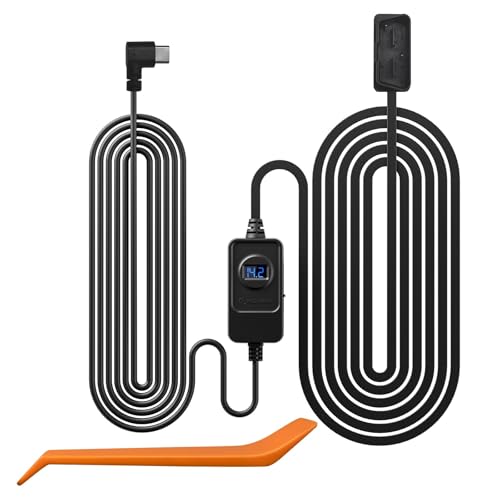
To successfully integrate this device, you will need a pry tool for wire tucking, a high-endurance microSD card (U3 rated), and a clean microfiber cloth for windshield preparation. Preparation is key to avoiding vibration interference.
Core Concepts & Fundamentals

The Role of Loop Recording
Dash cams function on a circular logic: the device fills the storage card and then overwrites the oldest, non-protected files. Understanding this ensures you don't panic when files "disappear."
Sensor Sensitivity and G-Shock Calibration
The F9 utilizes a G-sensor to detect collisions. If the sensitivity is set too high, standard road bumps will trigger "emergency" file saving, which quickly fills your card with locked, un-deletable footage. Proper calibration is essential for effective performance.
| Feature | Correct Approach | Incorrect Approach |
|---|---|---|
| Loop Recording | Use High-Endurance Card | Using Standard/Consumer Card |
| G-Sensor | Set to Low/Medium | Set to High Sensitivity |
For more technical context on how these systems integrate with other vehicle accessories, see: How Does Baby Car Camera Work? Top 5 Systems for 2026 Reviewed.
Step-by-Step Execution Guide

Preparation and Placement Phase
Effective placement minimizes glare and maximizes the field of view. Position the lens slightly to the left of the rearview mirror stalk for optimal coverage.
Execution and Configuration Phase
Need extra power for your setup? Read: 5 Best Spare Dash Cam Battery Options for Long-Lasting Parking Mode.
Recommended Equipment & Solution

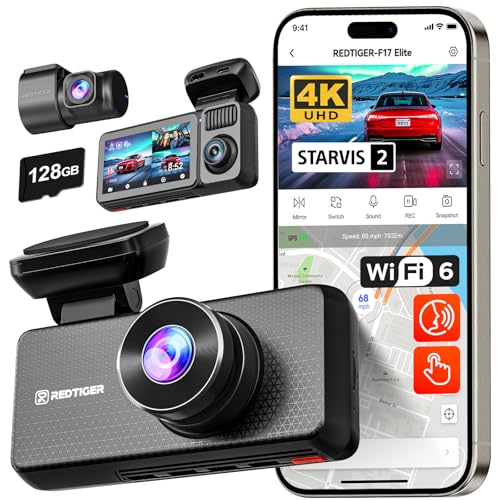
REDTIGER F9 4K Dash Cam Front
A reliable pick for REDTIGER F9 4K Dash Cam, selected based on this article's guidance.

REDTIGER F9Lite Dash Cam 4K Front, ADAS
A reliable pick for REDTIGER F9Lite Dash Cam 4K, selected based on this article's guidance.
Best Practices & Pro Tips

Maintaining Long-Term Reliability
Troubleshooting & Common Pitfalls

Connectivity and Power Failures
Most issues stem from power stability or incompatible memory cards. If the device reboots randomly, check your cigarette lighter port for corrosion or loose connections.
Addressing Error States
Frequently Asked Questions
Is the Redtiger F9 easy to install?
A: Yes, the process is standard for modern dash cams, utilizing a simple adhesive mount and trim-tucking methods for the wiring.
Does it work with older vehicles?
A: The F9 is compatible with any vehicle that provides a constant or switched 12V power source via a cigarette lighter adapter.
Can it record during the night?
A: It features enhanced sensors for low-light conditions, providing clear visibility in standard street-lit environments.
What is the recommended card size?
A: We suggest a 128GB high-endurance card to ensure several days of loop recording without overwriting footage too quickly.
Does the app require a subscription?
A: No, the Redtiger app for the F9 is provided for free to manage settings and download footage.
How does it handle extreme heat?
A: It utilizes a supercapacitor rather than a lithium battery to improve safety and longevity in high-temperature environments.
Is audio recording mandatory?
A: You can easily disable audio recording through the settings menu for privacy preferences.
What is the warranty coverage?
A: Most Redtiger units come with a standard one-year manufacturer warranty, which is typical for this category.
Key Takeaways
- 1 The Redtiger F9 is a solid, reliable choice for drivers seeking a balanced feature set.
- 2 Correct installation of the power cable is vital for safety and aesthetics.
- 3 High-endurance memory cards are non-negotiable for dash cam longevity.
- 4 G-sensor calibration prevents unnecessary locked files.
- 5 Regular monthly formatting of your card prevents system errors.
- 6 Supercapacitor tech is superior to batteries for vehicle heat management.
- 7 Always test your mobile app sync immediately after setup.
Conclusion
The Redtiger F9 dash cam is recommended for users who want a balance between ease-of-use and reliable performance. By following the installation and maintenance steps outlined here, you can ensure your device remains an effective witness on the road.
Remember that the quality of your footage is only as good as your installation; take the time to route your cables properly and choose a high-quality memory card. For more expert insights, continue exploring our library at Best Car Camera.
Consistent maintenance of your dash cam setup provides peace of mind for every mile driven.