
Turning Your Phone Into A Dash Cam or investing in a dedicated hardware unit is a common dilemma for drivers seeking better road security. While smartphone apps provide a quick, accessible solution, dedicated dash cams are purpose-built for the unique challenges of vehicle surveillance.
Many drivers struggle to choose because they underestimate the long-term operational demands of recording video while driving. A smartphone, designed primarily for communication and multimedia, handles thermal and battery stress differently than a dedicated automotive recorder, which is built for extreme temperatures and continuous power cycling.
This guide analyzes both options across critical performance and reliability metrics. By the end, you will be able to determine whether your current device is a suitable temporary measure or if a permanent, purpose-built camera is necessary for your safety requirements.
- Thermal management and device longevity
- Storage capacity and loop recording stability
- Power requirements and battery cycle life
- Legal and privacy compliance for video evidence
- Total cost of ownership and ease of use
Overview & Head-to-Head Summary

The Smartphone App Approach
Using your phone involves installing specialized software that leverages the onboard camera, sensors, and GPS. It is often the most cost-effective method for short-term monitoring but requires consistent manual setup each time you enter the vehicle.
The Dedicated Dash Cam Approach
Dedicated cameras are standalone devices permanently mounted to the windshield. They excel in automation, starting the moment the ignition turns on, and managing storage through specialized How loop recording works on dash cam technology.
| Feature | Smartphone App | Dedicated Dash Cam |
|---|---|---|
| Setup | Manual | Automated |
| Battery Drain | High | Negligible |
| Thermal Handling | Low Tolerance | High Tolerance |
| Reliability | Conditional | High |
Before relying on your phone, verify your phone's mount stability; unstable footage is rarely usable for insurance claims.
Key Differences & Core Features

Hardware Durability and Thermal Stress
Smartphones are prone to overheating when used for long periods with high-resolution recording and GPS enabled. Conversely, dedicated units are built to withstand the high-heat cycles common in vehicles parked in the sun.
Software Reliability and Integration
Dedicated systems provide seamless integration. For those concerned about connectivity, you might refer to 7 Common Problems with Dash Cam Without Phone App to understand why offline hardware is often preferred for simplicity.
| Category | Smartphone App | Dedicated Dash Cam |
|---|---|---|
| Storage | Shared Phone Memory | Dedicated SD Card |
| Field of View | Limited by Lens | Wide-Angle Specialized |
| Installation | Temporary/Suction | Hardwired/Permanent |
| Loop Recording | App-Dependent | Hardcoded Logic |
Performance & Real-World Analysis

Evaluating Video Quality Under Pressure
Performance relies on sensor quality. While phone cameras are excellent, they are not calibrated for low-light road conditions or high-speed license plate capture as well as specialized sensors found in mid-tier dash cams.
Operational Continuity and Consistency
Performance consistency is the defining difference; a dedicated camera will rarely fail if properly installed, whereas a phone is subject to software updates and background interruptions.
Best Use Cases & Ideal Scenarios
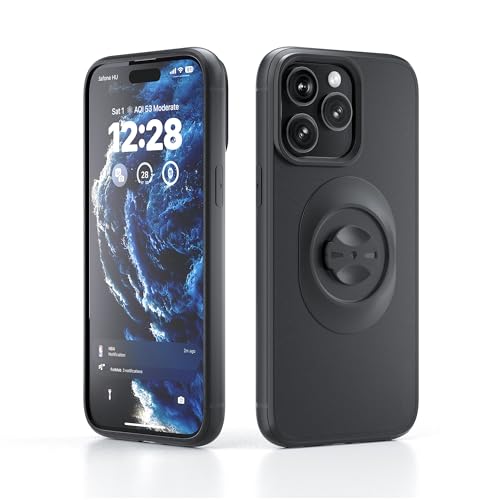
When Option A (Smartphone) Makes More Sense
If you only drive occasionally or are testing the waters, your smartphone is perfect. It is free or low-cost and requires no permanent changes to your vehicle's interior.
When Option B (Dedicated Cam) Makes More Sense
If you are a frequent commuter or rideshare driver, the reliability of a dedicated dash cam is essential for peace of mind and data protection.
When It Genuinely Doesn't Matter
For city driving at slow speeds with minimal traffic, both options will capture sufficient evidence for minor disputes.
Recommended Equipment & Solution

OTTOCAST Dash Camera for Cars, Wireless CarPlay
A reliable pick for OTTOCAST Dash Camera for Cars, selected based on this article's guidance.
Final Verdict & Decision Framework

Quick Decision Checklist
Choose a smartphone app if your driving is sporadic and you prefer a no-hardware setup. Choose a dedicated dash cam if you value automation, reliability, and long-term storage safety.
Our Framework for Choosing
| Priority | Recommended Solution |
|---|---|
| Cost Savings | Smartphone App |
| Ease of Use | Dedicated Dash Cam |
| Data Security | Dedicated Dash Cam |
| Flexibility | Smartphone App |
Smartphone setups are great for temporary proof.
Hardware units provide superior, worry-free recording.
Always prioritize stable, wide-angle lens positioning.
Frequently Asked Questions
Can my phone replace a dash cam long-term?
A: While possible, it is not recommended due to battery stress and potential for missed recordings.
Is a phone-based dash cam legal?
A: In most jurisdictions, yes, provided it does not obstruct your view of the road.
Do dash cams overheat like phones?
A: Properly designed dash cams use heat-resistant components that outperform mobile hardware.
Does the app save space on my phone?
A: Yes, but loop recording eventually overwrites older files to manage storage limits.
Should I hardwire my dash cam?
A: Hardwiring is recommended for parking mode features that protect your car while away.
What is the main risk of phone apps?
A: Incoming notifications or phone calls can interrupt the recording process.
Are dash cams hard to install?
A: Many models feature simple adhesive mounts, as detailed in Dash Cam Car Setup: The Ultimate Guide .
Is video quality better on a phone?
A: High-end phones often have better sensors, but dash cams have better lenses for wide-angle road coverage.
Key Takeaways
- 1 Dedicated cameras offer set-and-forget automation.
- 2 Smartphone apps are excellent for occasional or emergency use.
- 3 Battery health is the primary long-term risk for phone users.
- 4 Thermal management favors specialized hardware units.
- 5 Storage management is more robust on dedicated dash cam SD cards.
- 6 Legal and insurance requirements may favor reliable, permanent hardware.
- 7 Your driving frequency should dictate your investment level.
Conclusion
The choice between turning your phone into a dash cam and buying a standalone unit comes down to how much you value reliability versus convenience. For most, a dedicated dash cam is the professional standard for consistent road security.
If you are still weighing the benefits, consider your own daily commute requirements and the potential need for How To Select A Dash Cam before making your purchase.
Selecting the right tool for your vehicle ensures you stay protected when it matters most.







